

How To Recover & Resend Transactions
Resending Failed Transactions
If one or more bridge providers fail during multi-bridge execution, the transaction can be resent through an alternative interoperability provider.
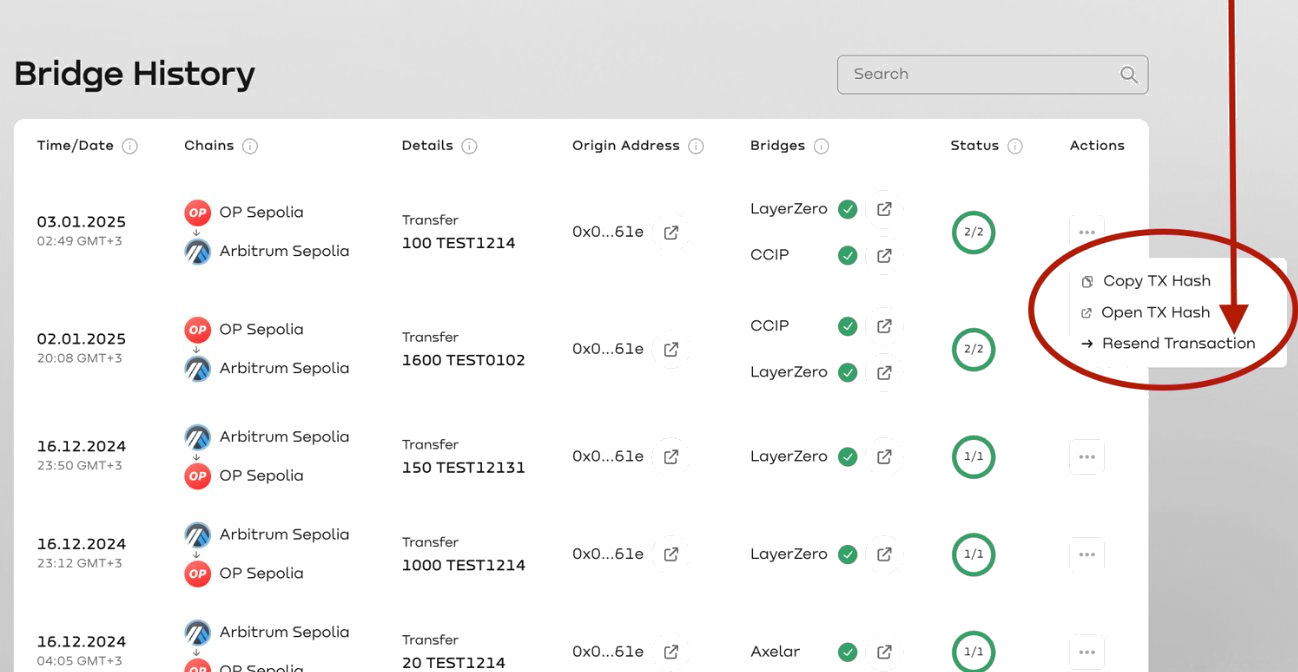
- Open the Bridge History section.
- Locate the failed transaction.
- Open the actions menu for that transaction.
- Select Resend Transaction.
- Choose an alternative bridge provider from the available options.
- Confirm the resend action.
- Monitor the updated transaction status in Bridge History.
Recovering Missing Transactions
Transaction Recovery is used when a completed transfer does not appear in the History tab due to indexing delays or temporary RPC interruptions.
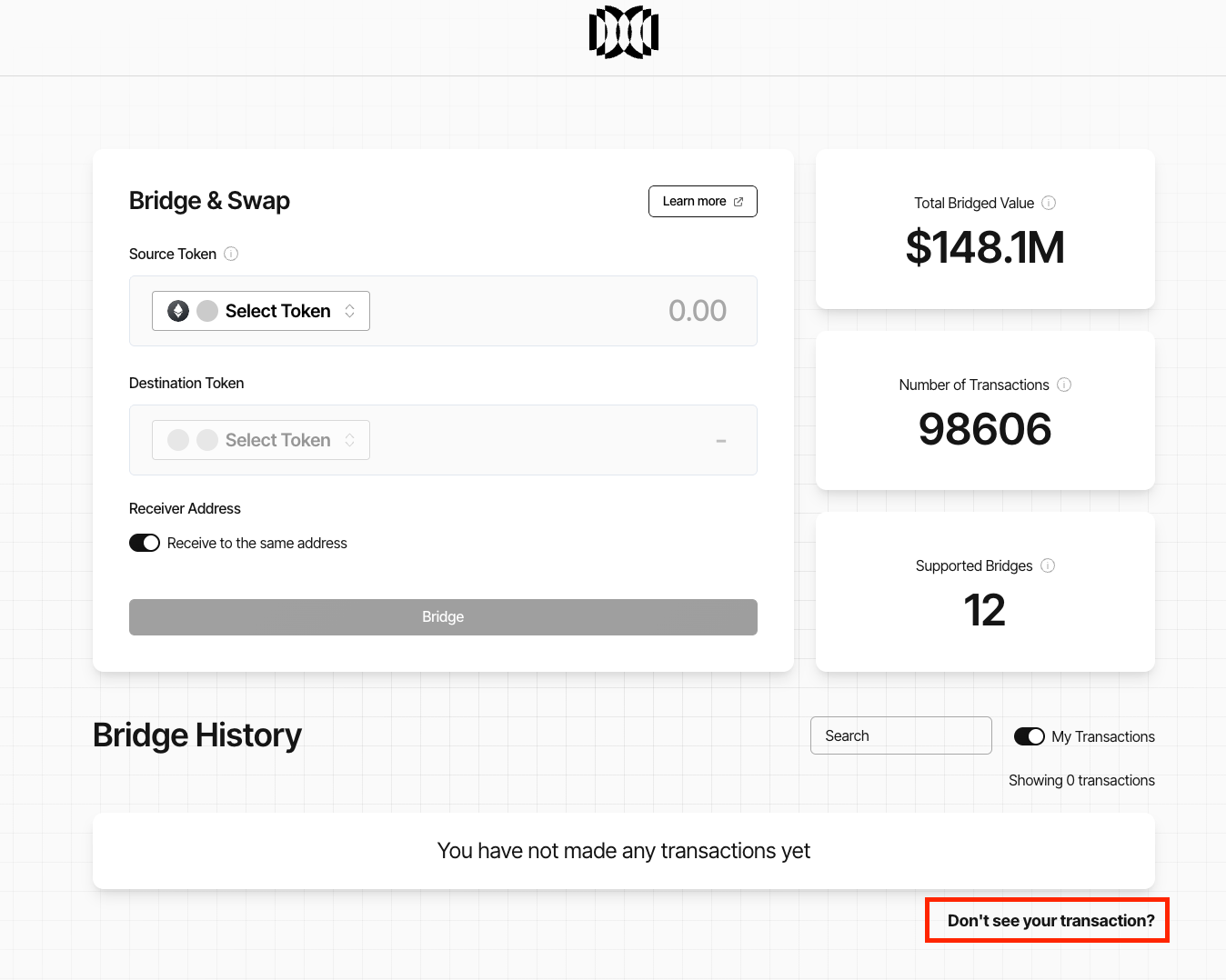
- Scroll to the bottom of the History section.
- Click "Don’t see your transaction?"
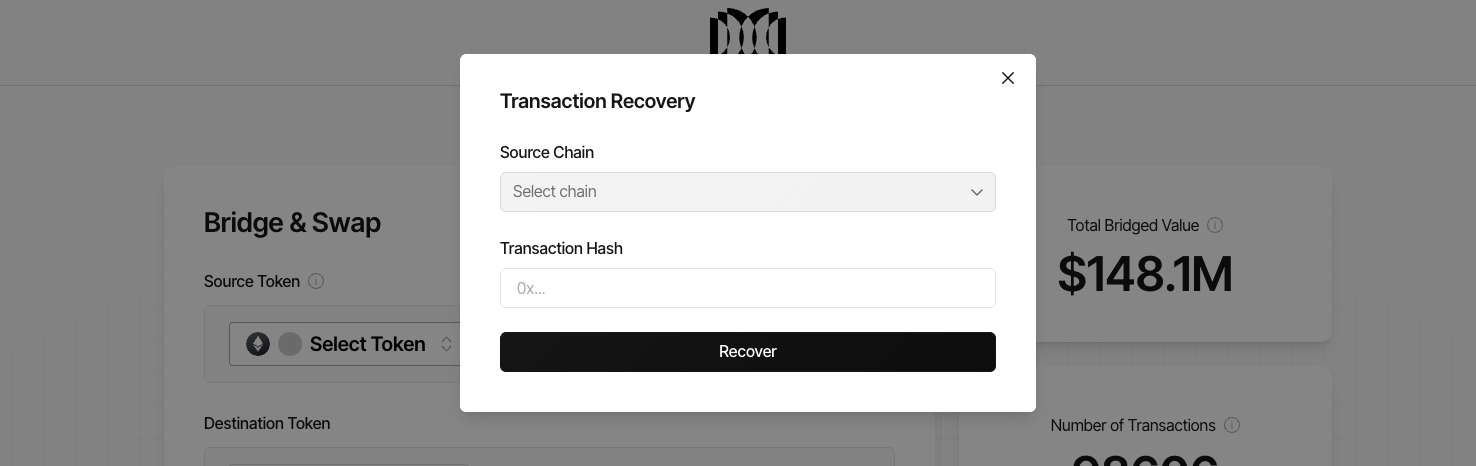
- Select the Source Chain.
- Paste the transaction hash from your wallet or block explorer.
- Click Recover.
Lucid re-indexes the bridge events for the provided transaction hash and updates the History section once processing is complete.
Recovery Notes
Recovery operations:
- do not move funds
- do not require gas
- do not require wallet signatures
- only re-index already finalised on-chain events