

Editing Organisations
Lucid allows organisations to modify deployed infrastructure, update operational configurations, add or remove modules, and coordinate protocol upgrades after deployment.
Organisation updates are managed through proposal-based operational infrastructure coordinated by the Wizard module.
This allows ecosystems to:
- upgrade operational infrastructure
- modify organisation metadata
- add new modules
- remove unused modules
- update governance systems
- modify interoperability infrastructure
- coordinate operational upgrades through multisignature approval flows
Upgrade Infrastructure
Organisation modifications are coordinated through:
- proposal creation
- multisignature approvals
- operational review flows
- execution thresholds
- proposal execution infrastructure
Upgrade coordination operates through the Protocol Upgrades Wizard module.
Accessing Organisation Editing
To edit an organisation:
- Open the Organisations section.
- Locate the organisation.
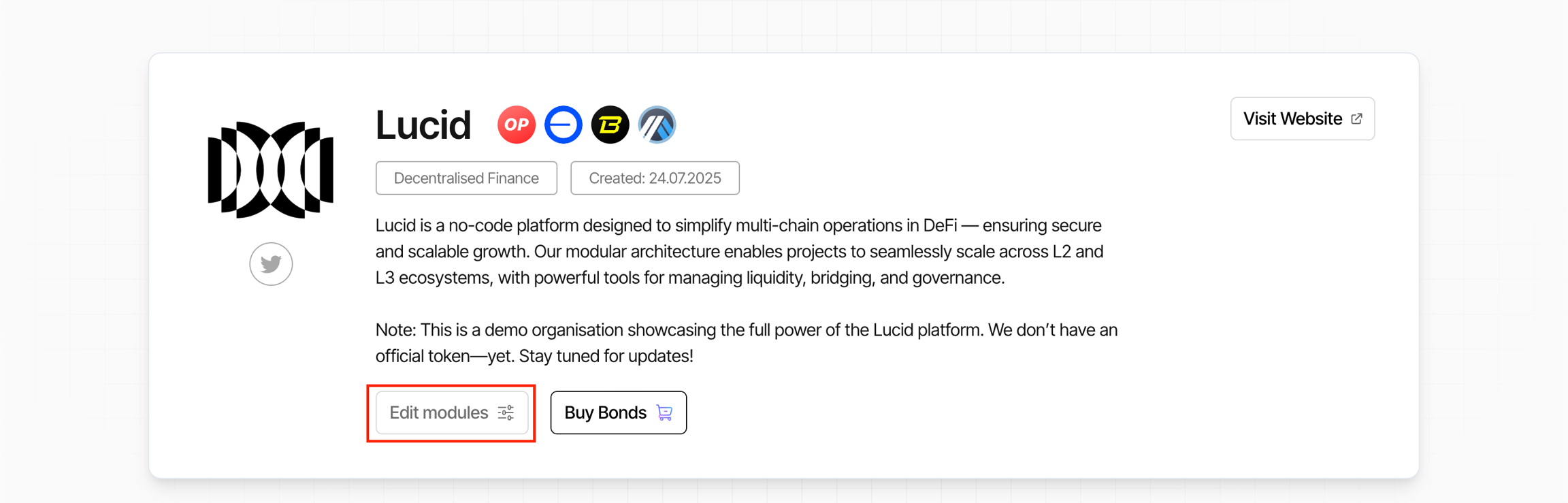
- Click Explore.
- Open the organisation dashboard.
- Click Edit Modules.
Supported Organisation Updates
Organisations can modify:
- deployed modules
- organisation descriptions
- organisation metadata
- supported infrastructure
- interoperability configuration
- treasury infrastructure
- governance systems
- operational settings
- ecosystem links
Updates are submitted as upgrade proposals before execution.
Editing Module Infrastructure
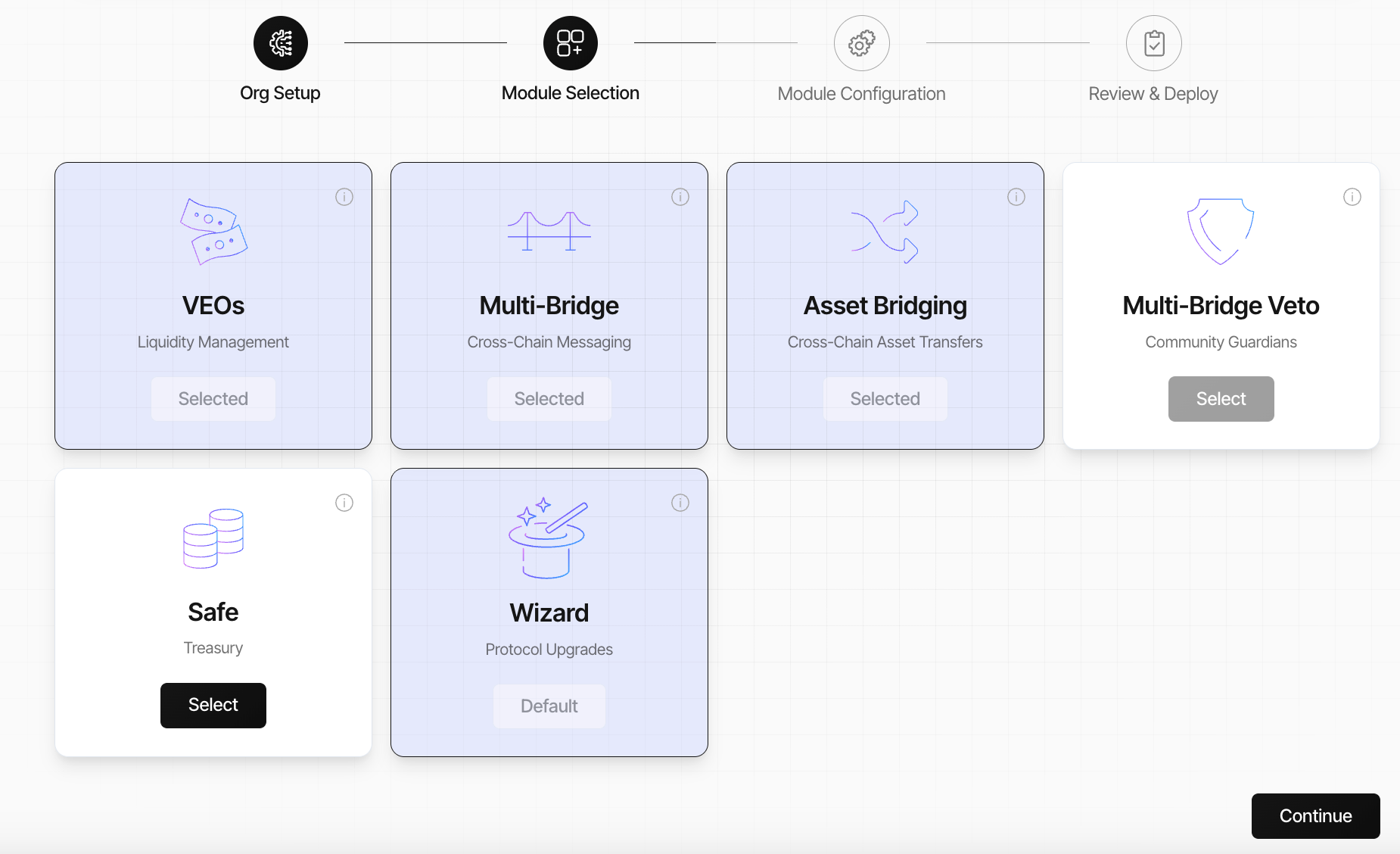
The Edit Modules interface allows organisations to:
- add infrastructure modules
- modify existing module configuration
- update deployment settings
- remove unused infrastructure
Module updates follow the same operational deployment structure used during initial organisation creation.
Removing Modules
Some operational modules can be removed if they are no longer required.
Supported removable modules can include:
- Working Groups
- Safe Treasury infrastructure
- operational coordination modules
Modules are removed during the configuration flow rather than directly from the selection page.
To remove a module:
- proceed to the configuration step
- locate the target module
- click the delete or trash icon
- confirm the configuration changes
Upgrade Proposal System
After configuration changes are prepared:
- Lucid generates an upgrade proposal
- operational changes are packaged for approval
- the proposal enters the Wizard approval flow
Upgrade proposals can include:
- contract upgrades
- infrastructure deployment updates
- UI configuration updates
- governance modifications
- interoperability configuration changes
Wizard | Protocol Upgrades
The Wizard module provides operational upgrade coordination for organisation infrastructure.
The Wizard manages:
- proposal review
- multisignature approvals
- operational upgrade execution
- proposal lifecycle coordination
The Wizard module appears inside the organisation dashboard as:
Protocol Upgrades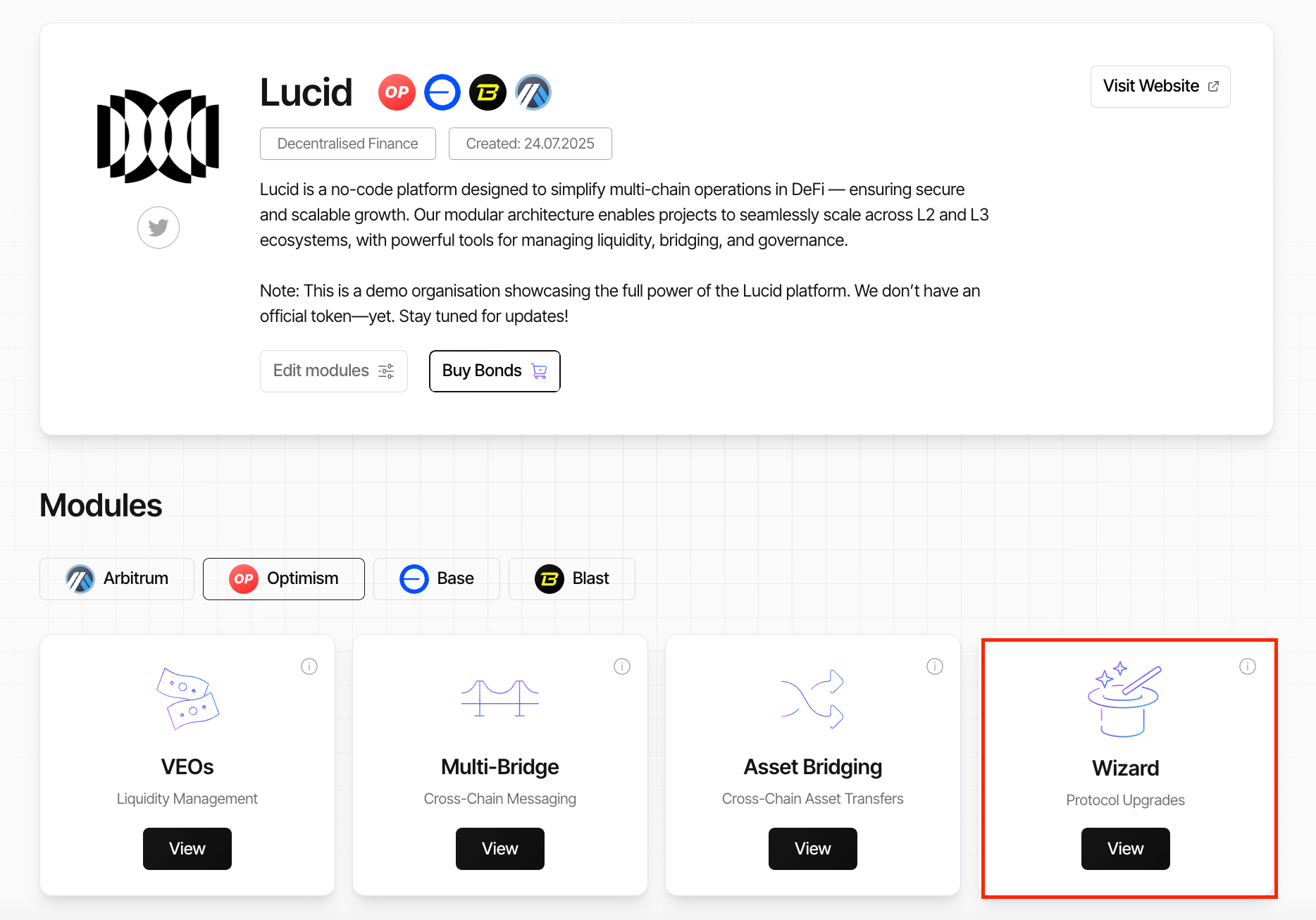
Reviewing Upgrade Proposals
Inside the Wizard module, users can review:
- pending upgrade proposals
- proposal names
- proposal timestamps
- approval thresholds
- collected signatures
- proposal status
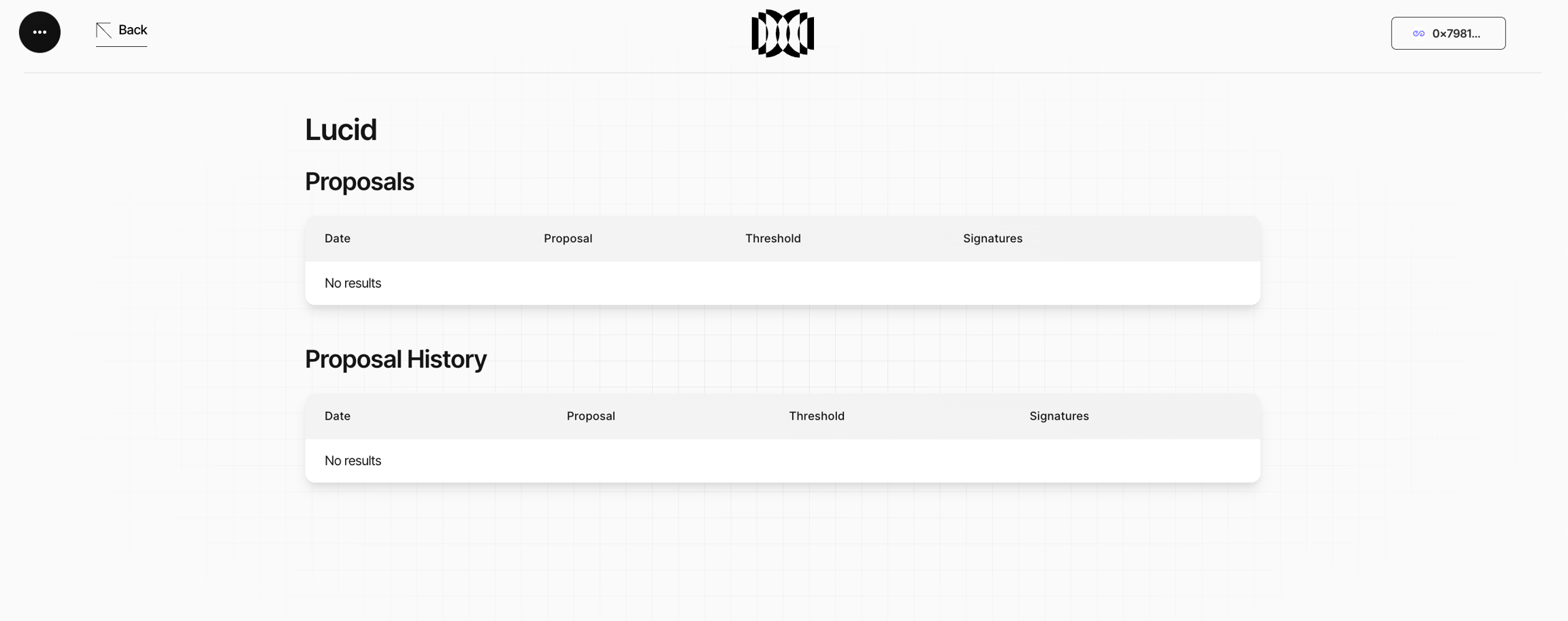
The Wizard interface displays:
- proposal name
- proposal creation date
- current collected signatures
- required approval threshold
- execution readiness status
Each proposal includes:
- detailed configuration changes
- infrastructure modifications
- deployment updates
- execution details
Proposal Approval Flow
To approve a proposal:
- Open the Wizard module.
- Locate the pending proposal.
- Click View to review the proposal details.
- Click Sign to approve the proposal.
- Repeat until the required multisignature threshold is reached.
Supported thresholds can include:
- 1-of-1
- 2-of-3
- 3-of-5
Only authorised multisignature signers can approve proposals.
Executable Proposals
After the required approval threshold is reached:
- proposals become executable
- execution may occur immediately or later
- executable proposals remain visible inside the Wizard module until finalised
This allows authorised participants to:
- review approved proposals
- coordinate execution timing
- finalise operational upgrades when ready
Executable proposals remain accessible through the proposal management interface until execution is completed.
Supported Upgrade Types
| Upgrade Type | Purpose |
|---|---|
| Contract Upgrades | Update deployed smart contract infrastructure |
| Governance Updates | Modify governance configuration |
| Module Updates | Add or modify operational modules |
| UI Updates | Update organisation operational interfaces |
| Interoperability Updates | Modify bridge and interoperability infrastructure |
These upgrades are coordinated through the Wizard approval and execution infrastructure.
Proposal Execution
Once the required approval threshold is reached:
- the proposal becomes executable
- execution finalises the upgrade
- infrastructure updates become active
Execution can include:
- smart contract upgrades
- infrastructure deployment updates
- governance configuration changes
- operational UI updates
- interoperability modifications
Depending on the configuration:
- execution may occur automatically
- or require manual execution by an authorised participant
Community Upgrade Suggestions
Any community member can:
- prepare upgrade suggestions
- configure operational changes
- submit proposal drafts
However:
- only authorised multisignature signers can approve proposals
- only approved proposals can execute
- governance permissions determine execution rights
This structure allows community coordination while maintaining operational security.
Proposal History
Proposals that are:
- pending
- rejected
- expired
- approved
- previously executed
remain accessible through the Proposal History section.
Proposal history provides:
- upgrade visibility
- operational auditability
- historical governance tracking
- infrastructure change monitoring
Proposals that are approved but not immediately executed also remain visible until execution finalises.
Operational Upgrade Coordination
The Editing Organisations infrastructure allows ecosystems to continuously evolve operational infrastructure after deployment.
Through the Wizard upgrade system, organisations can:
- scale infrastructure modularly
- coordinate operational upgrades securely
- manage multisignature approvals
- evolve governance systems
- expand interoperability infrastructure
- update ecosystem tooling over time
Additional low-level technical integrations are covered in the Post-Deployment Integration section.